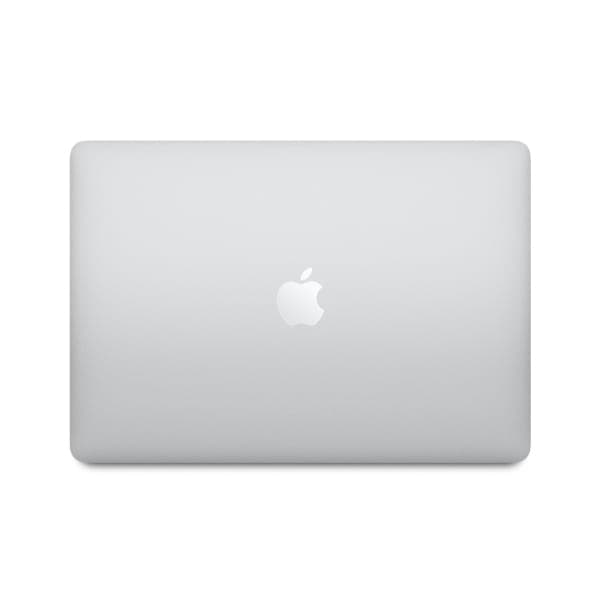
Apple MacBook Pro (15-inch, 2016, Touch Bar)
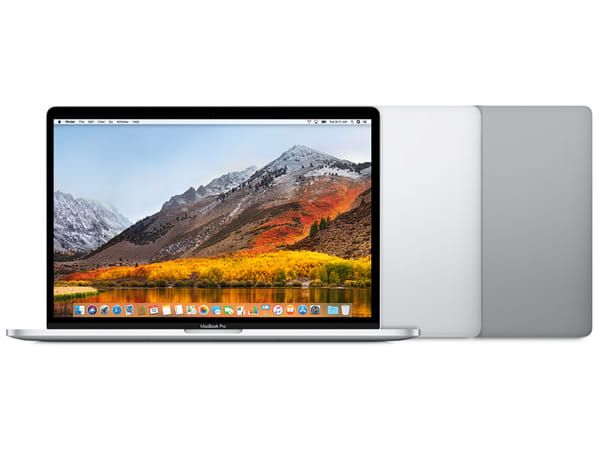








Apple MacBook Pro (15-inch, 2016, Touch Bar)
This product is currently unavailable. Get an email the moment it’s back in stock.
Certified Quality & Packaging
MacBook Pro (15-inch, 2016, Touch Bar)
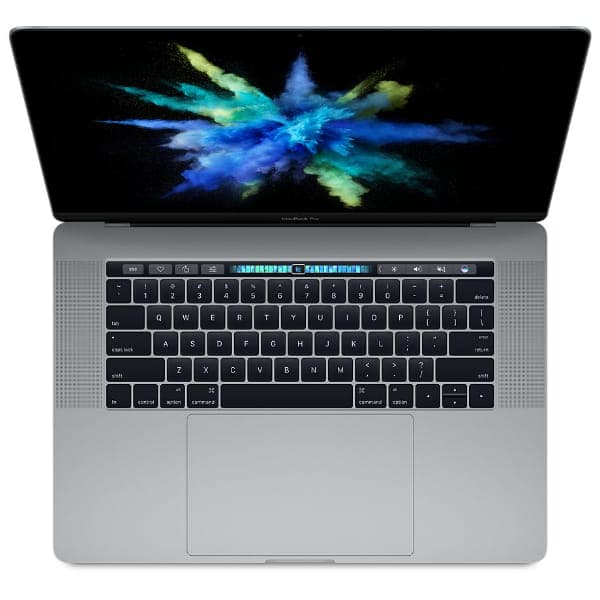
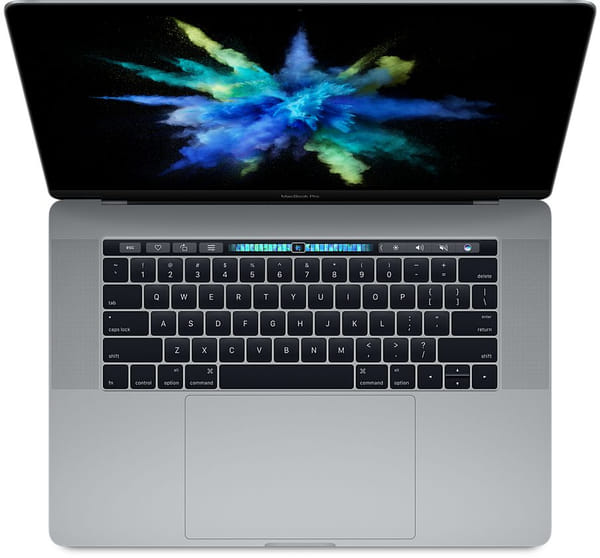
The MacBook Pro (15-inch, 2016, Touch Bar) introduced a slimmer professional MacBook design with four Thunderbolt 3 ports, Touch ID and Apple’s contextual Touch Bar. Its large Retina display and dedicated Radeon Pro graphics suit productivity and selected creative workflows.
It uses a quad-core Intel Core i7 processor with 16GB of onboard memory. Configuration options include Radeon Pro 450, 455 or 460 graphics and up to 2TB of SSD storage.
When buying a used or open-box unit, test the butterfly keyboard, Touch Bar, Touch ID, display, speakers, webcam and every Thunderbolt 3 port. Check the battery condition, charging performance, repair history and exact hardware configuration before purchasing.
Quick Facts
Specification | Details |
|---|---|
Model year | 2016 |
Display | 15.4-inch Retina IPS display |
Resolution | 2880 × 1800 pixels |
Processor | Quad-core Intel Core i7 |
Graphics | Intel HD Graphics 530 and dedicated Radeon Pro graphics |
Memory | 16GB LPDDR3 onboard memory |
Storage | 256GB or 512GB SSD; configurable up to 2TB |
Ports | Four Thunderbolt 3 ports and 3.5mm headphone jack |
Battery life | Up to 10 hours of wireless web use |
Weight | Approximately 1.83kg |
Key Highlights
Large Retina Display
The 15.4-inch Retina display provides a detailed workspace for documents, creative applications and entertainment. Its wide colour support and 500-nit rated brightness help compatible visual content appear vivid.
Why it matters:
2880 × 1800 native resolution
500-nit rated brightness
Wide colour gamut (P3)
IPS technology for wide viewing angles
Spacious canvas for multitasking
Intel and Radeon Pro Hardware
Every configuration combines a quad-core Intel Core i7 processor with integrated and dedicated graphics. Automatic graphics switching balances performance and power consumption according to the workload.
Why it matters:
Quad-core Intel Core i7 processor
Dedicated Radeon Pro graphics
Automatic graphics switching
16GB of onboard memory
Compatible with supported Intel-based software
Touch Bar and Thunderbolt 3
The Touch Bar displays controls that change according to the active application, while Touch ID provides fingerprint authentication. Four Thunderbolt 3 ports handle charging, data and video output.
Why it matters:
Context-sensitive Touch Bar controls
Integrated Touch ID sensor
Thunderbolt transfer speeds up to 40Gbps
Charging from any Thunderbolt 3 port
Support for compatible docks and external displays
Key Features Explained
Feature | Specification | Why It Matters |
Display size | 15.4-inch diagonal | Provides ample room for documents, timelines and multiple application windows. |
Display technology | LED-backlit Retina display with IPS | Produces sharp visuals and wide viewing angles. |
Native resolution | 2880 × 1800 at 220 pixels per inch | Keeps text, photographs and interface elements detailed. |
Brightness | 500 nits | Improves visibility in well-lit indoor environments. |
Colour | Wide colour gamut (P3) | Displays a broader range of colours in compatible content. |
Processor | 2.6GHz or 2.7GHz quad-core Intel Core i7 | Supports productivity and moderately demanding professional tasks. |
Optional processor | 2.9GHz quad-core Intel Core i7 | Provides higher clock speeds for processor-dependent workloads. |
Integrated graphics | Intel HD Graphics 530 | Handles lighter visual tasks while helping to conserve power. |
Dedicated graphics | Radeon Pro 450, 455 or optional 460 | Accelerates supported editing, design and graphics applications. |
Memory | 16GB of 2133MHz LPDDR3 | Supports multitasking and moderately complex project files. |
Storage | 256GB or 512GB SSD; configurable up to 2TB | Provides fast application loading and file access. |
External displays | Up to two 5K displays or four 4096 × 2304 displays | Accommodates high-resolution and multi-monitor workspaces. |
Ports | Four Thunderbolt 3 ports | Supports charging, video, storage devices and compatible docks. |
Camera and audio | 720p FaceTime HD camera, stereo speakers and three microphones | Covers basic video calls, voice input and media playback. |
Battery and weight | 76Wh battery; up to 10 hours; approximately 1.83kg | Combines a large display with portable battery operation. |
Compare Related Models
Feature | MacBook Pro 15-inch 2016 | MacBook Pro 15-inch 2017 | MacBook Pro 15-inch 2018 |
Display Size | 15.4-inch | 15.4-inch | 15.4-inch |
Display Type | Retina IPS with P3 | Retina IPS with P3 | Retina IPS with P3 and True Tone |
Native Resolution | 2880 × 1800 | 2880 × 1800 | 2880 × 1800 |
Processor | Quad-core Intel Core i7 | Quad-core Intel Core i7 | Six-core Intel Core i7 or Core i9 |
Dedicated Graphics | Radeon Pro 450/455/460 | Radeon Pro 555 or 560 | Radeon Pro 555X/560X; optional Vega |
Memory | 16GB LPDDR3 | 16GB LPDDR3 | Up to 32GB DDR4 |
Maximum Storage | 2TB SSD | 2TB SSD | 4TB SSD |
Ports | Four Thunderbolt 3 | Four Thunderbolt 3 | Four Thunderbolt 3 |
Touch Bar and Touch ID | Yes | Yes | Yes |
Weight | Approximately 1.83kg | Approximately 1.83kg | Approximately 1.83kg |
Best Advantage | Potentially lowest purchase price | Newer processor and graphics generation | Six-core performance and more memory |
Which Model Should You Choose?
Model | Recommended For |
Buyers seeking an affordable large-screen Intel MacBook Pro with dedicated graphics and Thunderbolt 3. | |
Users who want a similar design with newer Intel processors and Radeon Pro graphics. | |
Buyers who need six-core performance, True Tone or support for up to 32GB of memory. |
Common Questions
Is the MacBook Pro 15-inch 2016 suitable for everyday use?
Yes. It can handle web browsing, office applications, email, video calls and media playback. Its large size and dedicated graphics may be unnecessary for buyers who only need basic portability.
Can it handle photo editing, video editing and coding?
It can run compatible creative and development applications, particularly in a Radeon Pro 460 configuration. Performance and application support are more limited than on newer Intel and Apple silicon MacBooks.
How does it differ from the 2017 15-inch MacBook Pro?
The two models share the same display size, port arrangement, memory capacity and general enclosure design. The 2017 version uses newer Intel processors and updated Radeon Pro 555 or 560 graphics.
How many external displays can it support?
It supports up to two 5120 × 2880 displays at 60Hz or up to four 4096 × 2304 displays at 60Hz. Compatible Thunderbolt 3 or USB-C cables and adapters are required.
Can the memory or SSD be upgraded later?
No. The memory and SSD are integrated into the logic board and are not designed for conventional upgrades. Confirm the installed storage capacity and hardware configuration before purchasing.
Is the MacBook Pro 15-inch 2016 still worth buying?
It may suit buyers who need Intel compatibility, dedicated graphics or a large Retina display at a low used price. Battery health, keyboard reliability, repair history, macOS support and application compatibility require careful consideration.
Why Buy the MacBook Pro (15-inch, 2016, Touch Bar)?
The MacBook Pro (15-inch, 2016, Touch Bar) provides a spacious P3 Retina display, dedicated Radeon Pro graphics and four versatile Thunderbolt 3 ports. It is best suited to budget-conscious buyers with specific Intel-based workflows who are comfortable assessing an older notebook’s condition and software support.
Compare MacBook Pro (15-inch, 2016, Touch Bar) listings on SellUp Marketplace to find the condition, processor, graphics, storage and price that suits your budget.