Apple iPad 7th Gen
32GB · Wi-Fi + Cellular · Space Gray · Fair Condition
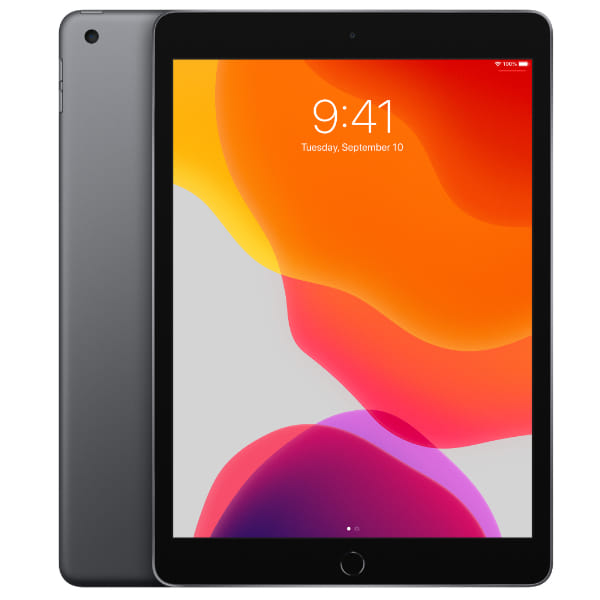








Apple iPad 7th Gen
32GB · Wi-Fi + Cellular · Space Gray · Fair Condition
Storage
Connectivity
Color
CONDITION
CERTIFIED & SOLD BY
Specifications
Certified Quality & Packaging
Apple iPad 7th Generation
Quick Facts
Specification | Details |
|---|---|
Launch year | 2019 |
Display | 10.2-inch Retina IPS display |
Resolution | 2160 × 1620 pixels at 264 ppi |
Processor | Apple A10 Fusion chip |
Memory | 3GB RAM |
Storage | 32GB or 128GB |
Rear camera | 8MP Wide |
Front camera | 1.2MP FaceTime HD |
Battery | 32.4Wh; up to 10 hours of web browsing or video over Wi-Fi |
Connectivity | Wi-Fi 5, Bluetooth 4.2; optional 4G LTE cellular |
Charging port | Lightning |
Weight | 483g for Wi-Fi; 493g for Wi-Fi + Cellular |
Colours | Silver, Space Grey or Gold |
Overview
The Apple iPad 7th Generation is an entry-level tablet with a 10.2-inch Retina display and A10 Fusion chip. It is best suited to basic activities such as web browsing, reading, video playback and lighter educational applications.
It includes a physical Home button with Touch ID, a 3.5mm headphone jack and a Lightning connector. Support for Apple Pencil (1st generation) and compatible Smart Keyboard accessories also allows it to handle handwritten notes and basic document work.
When buying a used iPad 7, inspect the screen for scratches, discolouration and touch-response problems. Test the battery, cameras, speakers, microphones, Lightning port, headphone jack, buttons and Touch ID, and confirm that Activation Lock has been removed.
Key Highlights
1. Practical 10.2-inch Retina Display
The Retina display has a 2160 × 1620 resolution, pixel density of 264 ppi and brightness of up to 500 nits. Its screen is larger than the 9.7-inch display used by the previous standard iPad generation.
Why it matters:
Provides useful space for reading and documents
Displays clear text and images
Offers a suitable size for video playback
Supports Apple Pencil (1st generation)
Retains familiar Home button navigation
2. Support for Keyboard and Apple Pencil
The iPad 7 was the first standard iPad generation to include a Smart Connector for compatible Smart Keyboard accessories. It also works with Apple Pencil (1st generation) for notes, annotations and basic drawing.
Why it matters:
Supports handwritten notes and annotations
Works with compatible keyboard accessories
Requires no separate keyboard charging or Bluetooth pairing
Provides Touch ID for biometric security
Can serve as a basic study or document device
3. Familiar Ports and Controls
The tablet retains a physical Home button, Lightning connector and 3.5mm headphone jack. These features may suit buyers who already own Lightning accessories or prefer traditional iPad controls.
Why it matters:
Connects standard wired headphones without an adapter
Works with existing compatible Lightning accessories
Provides fingerprint authentication through Touch ID
Offers physical Home button navigation
Supports optional 4G LTE on cellular models
Key Features Explained
Feature | What it offers |
A10 Fusion chip | Provides basic performance for browsing, streaming and lighter applications |
Retina display | A 10.2-inch IPS screen with 2160 × 1620 resolution and 500-nit brightness |
Touch ID | Unlocks the tablet and approves supported purchases through the Home button |
8MP rear camera | Captures photos, scans documents and records video at up to 1080p |
1.2MP front camera | Supports basic FaceTime calls and 720p video recording |
Lightning connector | Supports charging, syncing and compatible Lightning accessories |
Headphone jack | Connects standard 3.5mm wired headphones without an adapter |
Apple Pencil support | Works with Apple Pencil (1st generation) for notes and drawing |
Smart Connector | Supports compatible Smart Keyboard accessories without separate pairing |
Optional cellular | Provides 4G LTE data connectivity on compatible Wi-Fi + Cellular models |
Compare Related Models
Model | Launch year | Display | Processor | Rear/front camera | Battery | Storage | Network | Weight |
iPad 7th Gen | 2019 | 10.2-inch Retina IPS, 2160 × 1620, 60Hz | Apple A10 Fusion | 8MP Wide / 1.2MP FaceTime HD | 32.4Wh; up to 10 hours on Wi-Fi | 32GB or 128GB | Wi-Fi 5; optional 4G LTE | 483g Wi-Fi; 493g cellular |
iPad 6th Gen | 2018 | 9.7-inch Retina IPS, 2048 × 1536, 60Hz | Apple A10 Fusion | 8MP Wide / 1.2MP FaceTime HD | 32.4Wh; up to 10 hours on Wi-Fi | 32GB or 128GB | Wi-Fi 5; optional 4G LTE | 469g Wi-Fi; 478g cellular |
iPad 8th Gen | 2020 | 10.2-inch Retina IPS, 2160 × 1620, 60Hz | Apple A12 Bionic | 8MP Wide / 1.2MP FaceTime HD | 32.4Wh; up to 10 hours on Wi-Fi | 32GB or 128GB | Wi-Fi 5; optional 4G LTE | 490g Wi-Fi; 495g cellular |
iPad 9th Gen | 2021 | 10.2-inch Retina IPS, 2160 × 1620, 60Hz | Apple A13 Bionic | 8MP Wide / 12MP Ultra Wide | 32.4Wh; up to 10 hours on Wi-Fi | 64GB or 256GB | Wi-Fi 5; optional 4G LTE | 487g Wi-Fi; 498g cellular |
Which Model Should You Choose?
Choose this model | If you want |
iPad 7th Gen | A basic low-cost iPad with a 10.2-inch display, Smart Keyboard support and a headphone jack |
iPad 6th Gen | A smaller and lighter tablet and do not need a Smart Connector |
iPad 8th Gen | Faster performance while retaining the same display, storage choices and traditional design |
iPad 9th Gen | Faster performance, more storage, True Tone and a much better front camera with Center Stage |
Alternatives
If you are comparing before buying, you may also want to check these related SellUp Marketplace pages:
Common Questions
Is the iPad 7th Generation good for everyday use?
It remains suitable for light browsing, reading, video playback and basic applications. Its older A10 Fusion chip may feel slow with heavier multitasking, demanding games or newer applications, and it does not support iPadOS 26.
Does the iPad 7th Generation support 5G?
No. Wi-Fi + Cellular versions support 4G LTE but not 5G, while Wi-Fi-only models have no cellular connection. Actual LTE speed depends on your Singapore telco plan, nano-SIM or eSIM support, coverage and network conditions.
Is the iPad 7th Generation better than the iPad 8th Generation?
No. The iPad 8th Generation has a considerably faster A12 Bionic chip while retaining the same display, storage capacities and overall design. The iPad 7 may only offer better value when it is substantially cheaper.
Does the iPad 7th Generation support wireless charging?
No. It does not support Qi or MagSafe wireless charging. The tablet and Apple Pencil (1st generation) use the Lightning connection for charging.
Is the iPad 7th Generation water resistant?
Apple does not provide an official IP water- or dust-resistance rating for this model. Keep it away from liquids and inspect a used unit for moisture damage or corrosion around its Lightning port, headphone jack and buttons.
Is the iPad 7th Generation worth buying used?
It may be worth considering only for very basic use at a sufficiently low price. Its older processor and lack of iPadOS 26 support limit its long-term appeal, so check the screen, battery, cameras, speakers, microphones, ports, buttons, Touch ID and Activation Lock status carefully.
Why Buy the Apple iPad 7th Generation?
The Apple iPad 7th Generation can still serve as a basic tablet for reading, browsing and video playback. Its 10.2-inch display, Touch ID, headphone jack and accessory support cover straightforward everyday requirements.
It is most suitable when available at a low price and when long-term software support is not a priority. Buyers wanting faster performance and greater remaining software usefulness should consider the iPad 8th Generation or a newer model.
Compare Apple iPad 7th Generation listings on SellUp Marketplace to find the condition, storage size, and price that suits your budget.
You May Also Like
View all
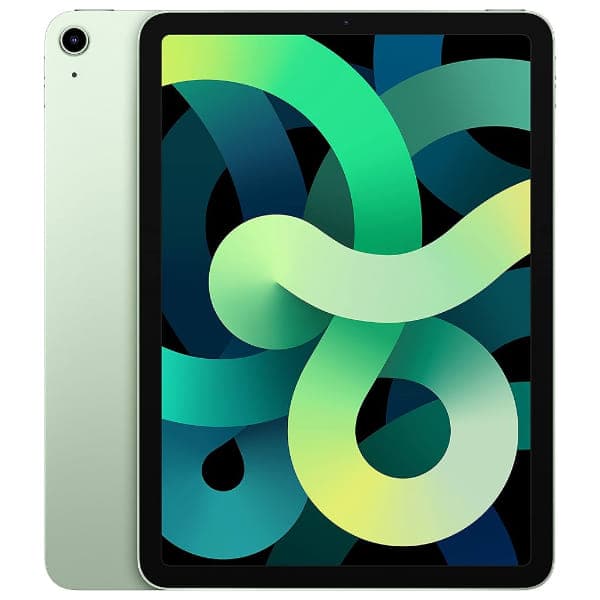
iPad Air 4
64GB • Wi-Fi • Green